A Mario Galaxy Look on a Phone: fog culling, sky fog, automatic quality, baked shadows
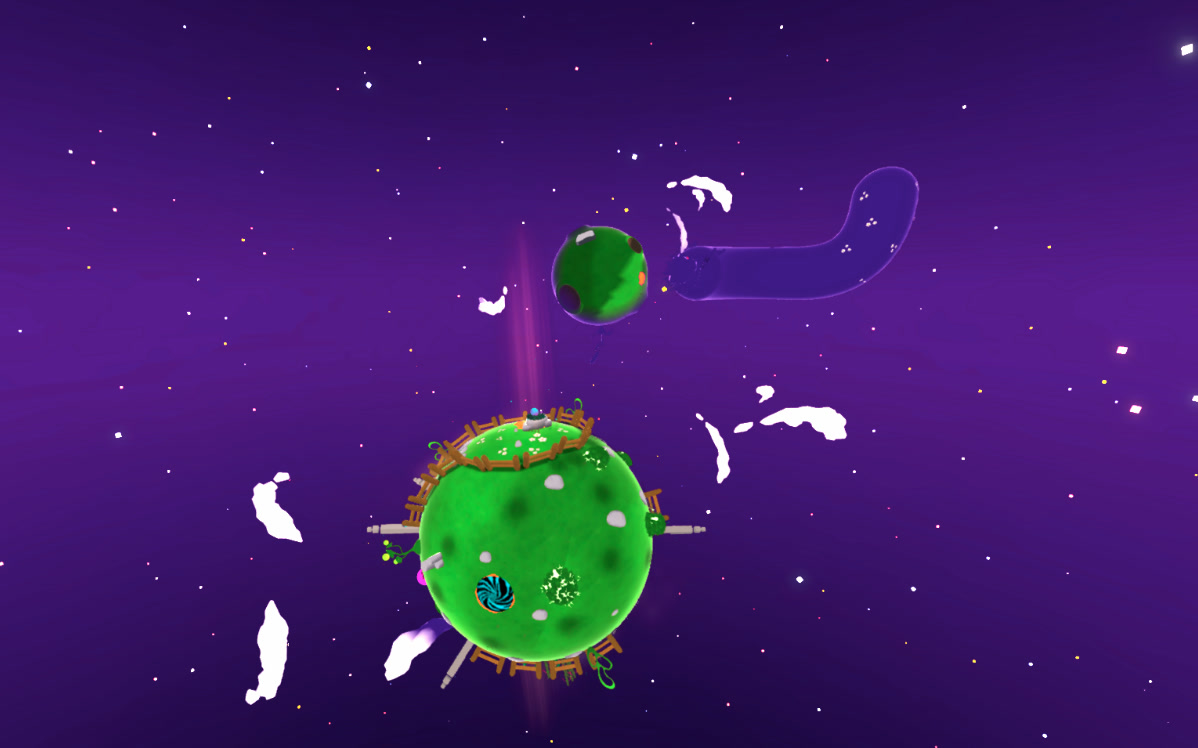
The target: the look of Super Mario Galaxy, small round planets, soft shadows, a sky that swallows the horizon. The catch: 60 FPS on a phone, in one Unity project with the PC version.
- Fog culling: what is far is not drawn, a fog hides the cut.
- A fog the colour of the sky behind each pixel.
- One switch per platform, no code.
- Automatic quality: the game measures its FPS and adjusts.
- Box mapping: textures without UVs.
- Moving cloud shadows: one texture, nothing on the CPU.
- Shadows baked in the vertices: soft shadows for free.
1. Fog culling: a far distance per layer
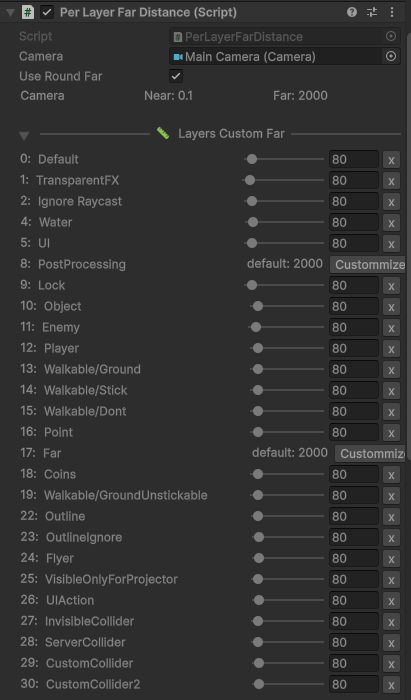
PerLayerFarDistance on the camera: one slider per layer, the distance where it stops being drawn. Unity has the property (Camera.layerCullDistances) but no inspector: this is it.
The fog is complete at 60, gameplay layers are cut at 80: what disappears was already sky-coloured. Nothing pops.
Low FPS on a phone? Lower a slider. Nothing to bake, zero cost at runtime.
Show the code
[ExecuteInEditMode]
public class PerLayerFarDistance : MonoBehaviour
{
    [SerializeField] private Camera _camera; public Camera Camera { get { return (_camera); } }
    [SerializeField] private float[] _distances = new float[32];
    [SerializeField] private bool _useRoundFar = false;

    private void OnEnable()
    {
        SetupCullings();
    }

    private void SetupCullings()
    {
        if (_camera == null)
        {
            return;
        }
        _camera.layerCullDistances = _distances;
        if (GraphicsSettings.currentRenderPipeline == null)
        {
            // Spherical layer culling exists only in the built-in RP (an SRP ignores it and logs a warning).
            _camera.layerCullSpherical = _useRoundFar;
        }
    }

    private void OnValidate()
    {
        SetupCullings();
    }
}
2. A fog the colour of the sky
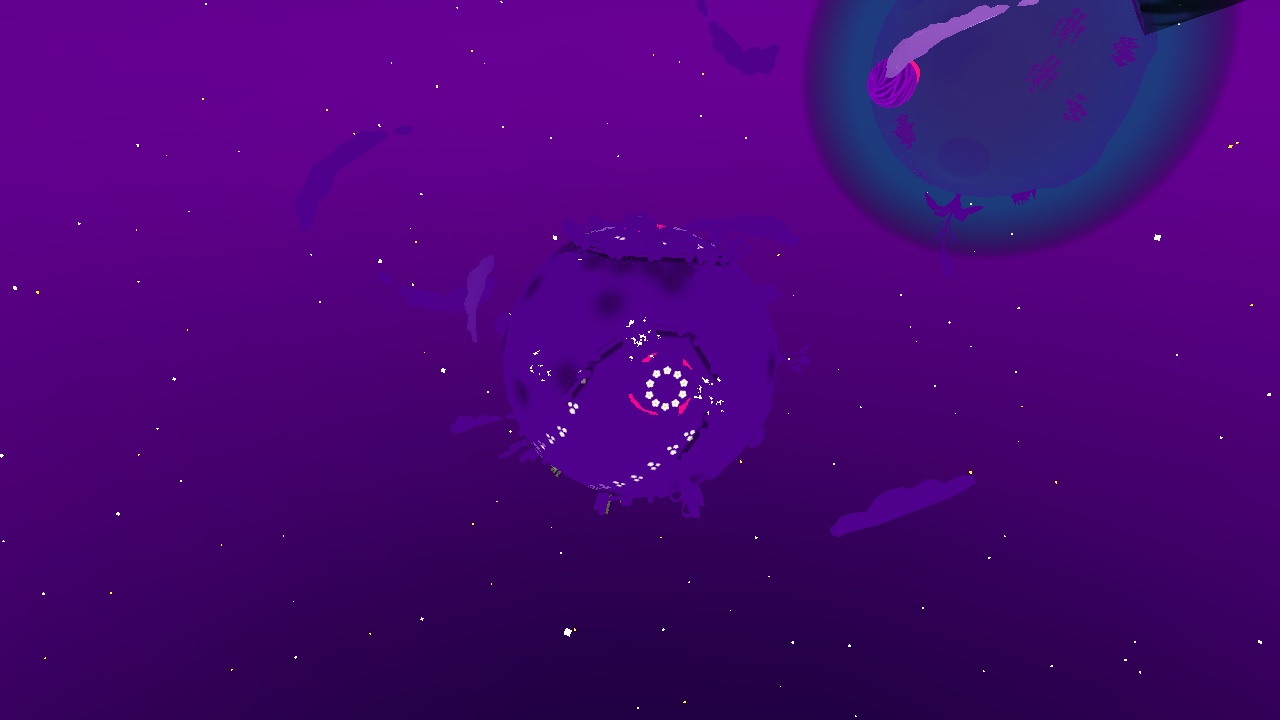
Our sky is a gradient, not one colour: a single fog colour is too light above the horizon and too dark below. You can see the trick.
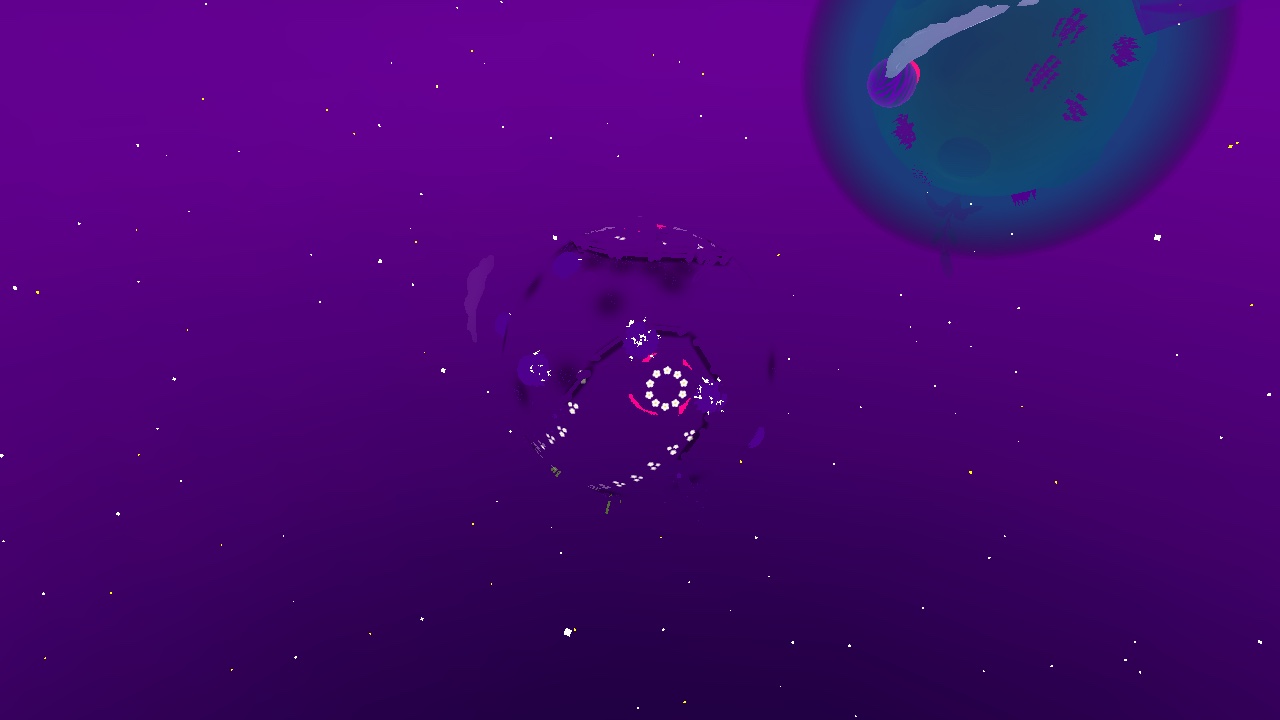
The fix: the sky is captured once in a tiny cubemap (32 px per face), and each pixel's fog takes the colour of the sky behind it. One sample per pixel.
Bonus: the Fresnel rim was added after the fog and glowed through it. Moved before the fog: gone in the distance.
Show the shader function
TEXTURECUBE(_KugleSkyFogCube);
SAMPLER(sampler_KugleSkyFogCube);
float _KugleSkyFogBlend;

void KugleSkyFog_float(float3 FogColor, float3 WorldPos, out float3 Out)
{
    float3 direction = normalize(WorldPos - _WorldSpaceCameraPos);
    float3 sky = SAMPLE_TEXTURECUBE_LOD(_KugleSkyFogCube, sampler_KugleSkyFogCube, direction, 0).rgb;
    Out = lerp(FogColor, sky, saturate(_KugleSkyFogBlend));
}
3. One switch per platform
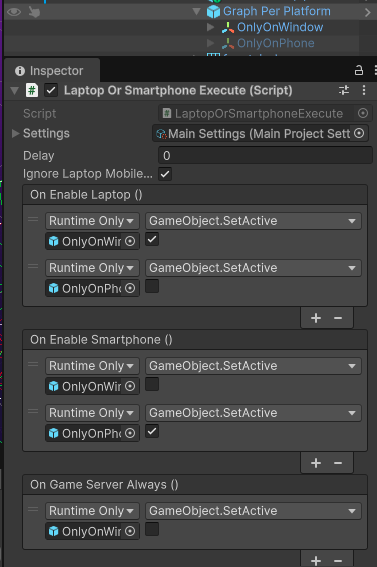
LaptopOrSmartphoneExecute: three event lists, laptop, smartphone, game server. Drop it on a prefab, drag the objects, tick: shown on PC, hidden or lighter on phone. No code, the whole team uses it.
It follows the quality setting, not the build: it switches live, mid-game.
4. Automatic quality
The game averages its FPS after each loading and steps the quality down when it drops, back up when it holds 60.
| Strong device | Weak device | |
|---|---|---|
| Render scale | 2 on PC (supersampling) | 0.8 |
| Quality | Very High | Very Low: no shadows, lighter textures and LODs |
| Visuals | full volume, temporal anti-aliasing | light volume and visuals, fast anti-aliasing |
5. Box mapping: textures without UVs
Spheres, tubes, bent platforms: no UV unwrapping. The texture is projected from the world, continuous from one object to the next: a level designer drops any primitive, it is textured at once.
6. Cloud shadows: a moving black noise
A black noise sliding with time over the ground: clouds drifting over the planet, or a wet ground when it rains. One texture sample, nothing on the CPU.
7. Shadows baked in the vertices
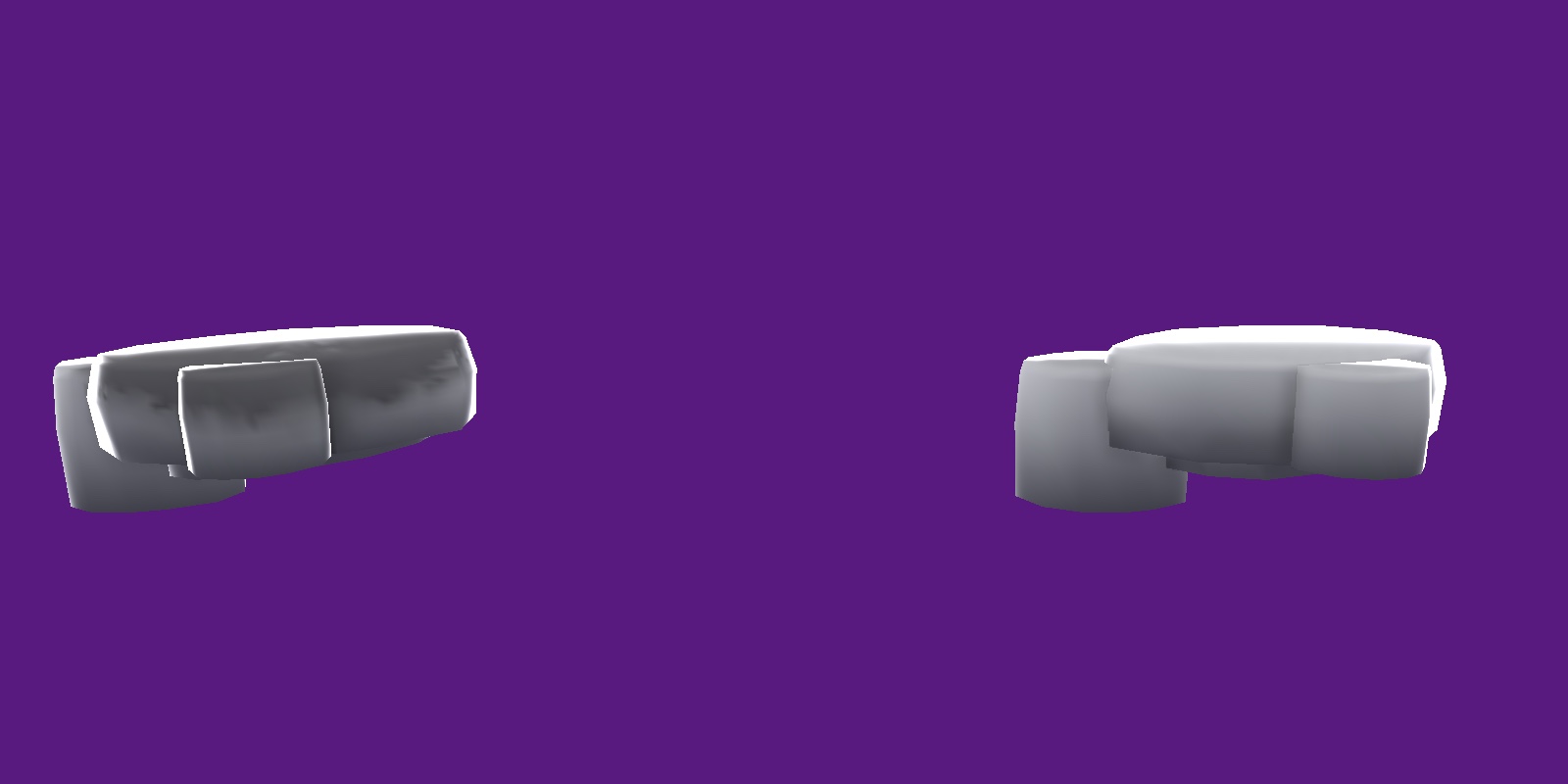
No shadow maps on a phone. Each object is baked once in the editor: its ambient occlusion goes into the vertex colours, and the shader multiplies by it. Free at runtime.
Unique bake: the nest sat on a rock with too few vertices to hold its shadow. One click subdivides that instance only (300 to 8,400 vertices) and bakes just the nest's shadow on top. 22 seconds.
What I keep from it
- Bake what does not move: the phone only multiplies and blends.
- Tools for the team, not tickets for programmers: sliders, switches, bake windows.
- One project, two platforms, and the game picks its own quality.
See also
- Kugle Corp: founder and CEO: the mobile side of the game, and the other tools made for it.
- Gravity Platformer: the planets these shaders cover.
- Build Pipeline: 16 builds, two clicks, four stores.