AutoSave: the save Unity still does not do for you
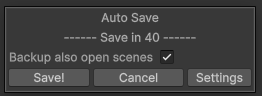
Unity still does not save your scenes by itself. This tool does: every five minutes, a small window counts down in a corner, then saves everything.
- Save, Cancel, or let it count. A Ctrl + S during the countdown closes it.
- Silent when nothing changed, in play mode, during a build or a compilation, and when Unity is not the window in front.
The save itself is two lines:
EditorSceneManager.SaveOpenScenes();
AssetDatabase.SaveAssets();
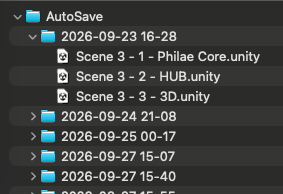
A dated backup of every open scene
Each save also copies every open scene into a folder named after the date and the time, outside the project: Unity never imports the copies, and they never end up in a commit.
A level broken on Tuesday? Tuesday morning's scene is one folder away.
Options
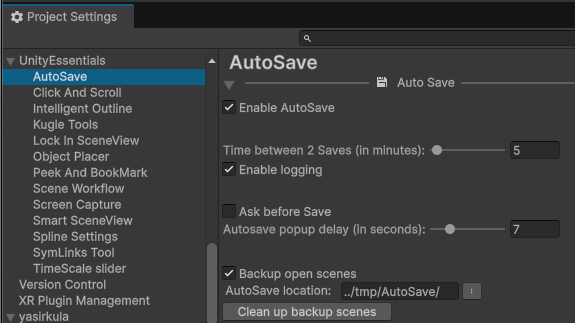
In Project Settings > Unity Essentials > AutoSave: the time between two saves (5 minutes by default), the length of the countdown or "ask before save", and the backup folder.
Part of Unity Essentials, the toolbox of the Kugle Corp games. It started from Tarodev's Unity-AutoSave, a few open-source lines that save on a timer; the countdown window, the checks, the backups and the settings were added on top.
See also
- Scene Context Loader: the contexts of scenes these backups copy together.
- Build Pipeline: another thing Unity should do by itself.